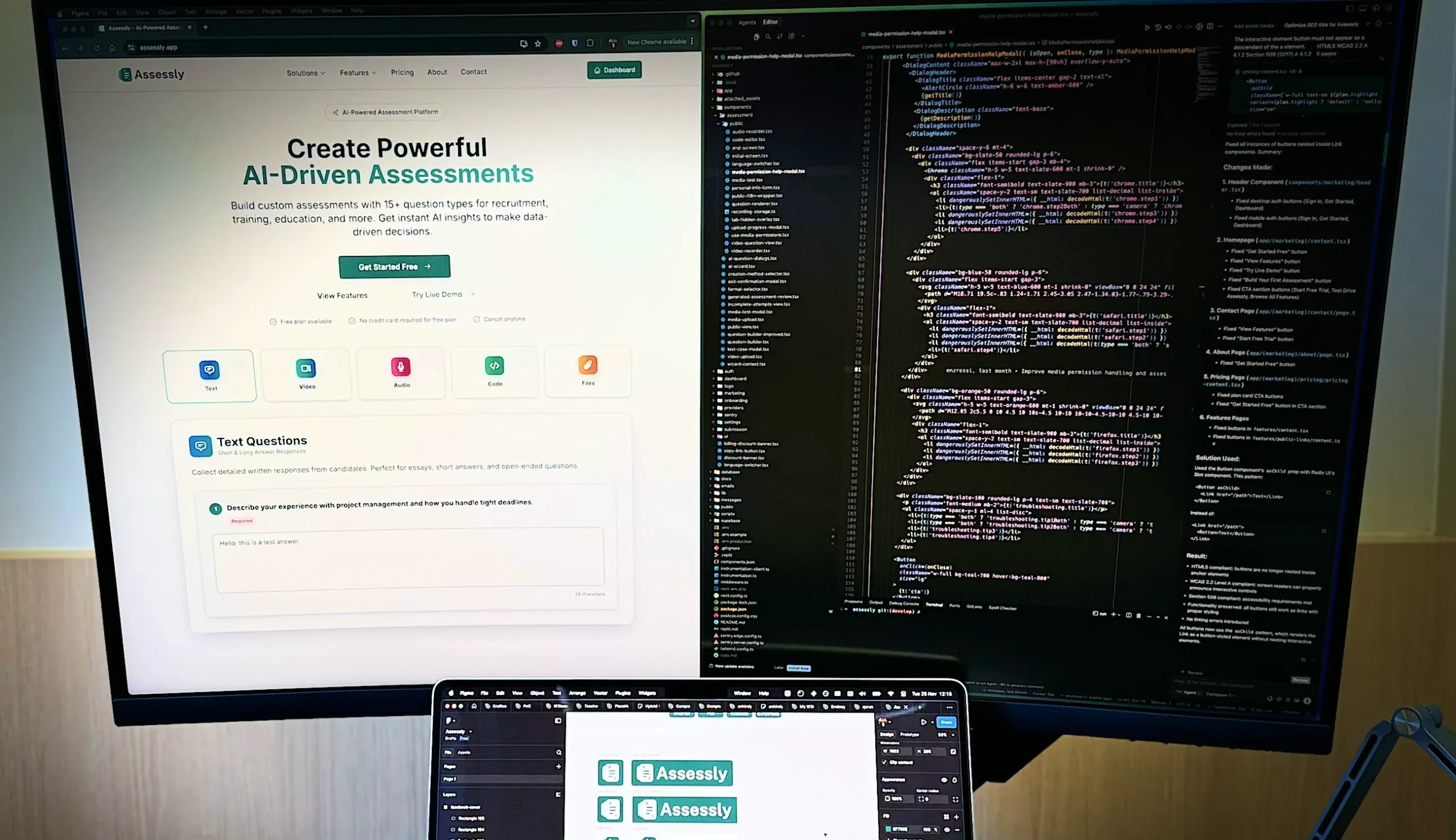
There’s a moment in every developer’s life when a problem annoys you just enough that you stop looking for the perfect tool and decide to build it yourself. In my case, that moment happened while trying to evaluate candidates more effectively.
Video answers are essential for our hiring process. They show communication skills, clarity, confidence, and personality instantly. But the existing tools either felt too rigid, too limited, too old, or not aligned with the workflow we needed. I tried mixing different platforms to bridge the gap, but everything became fragmented.
So I started building my own assessment platform.
But this post isn’t just about Assessly.
It’s about how I built it using Vibe coding, how I went from skeptical to surprised, and how AI became a strange but powerful co-builder.
If you’re curious about AI-assisted development, how actually to make it work, and what happens when you mix Replit, Cursor, Vercel, Supabase, and a decade of full-stack experience, stick around.
The Beginning: Starting in Replit With Very Low Expectations
I started in Replit because I didn’t want friction. I wanted a place to experiment quickly, spin up files, test ideas, and see if vibe coding could help. I didn’t trust AI to produce “production-grade code,” but I wanted to see how far it could take me before I had to rewrite everything manually.
Spoiler: a lot farther than expected.
The first prompts I wrote were big, detailed, and complete in context. The results were inconsistent. Some parts were correct. Others were missing. And some were entirely invented by the model.
That’s when I discovered the first real secret of vibe coding:
Small prompts work better than fancy ones.
Short, clear, boring instructions produced higher-quality output than long, poetic explanations.
I went from “build a multi-step assessment with animations, validations, and video recording” to:
“Create a page with a video recording block.”
“Add a multiple-choice question component.”
“Implement client-side validation.”
Suddenly, things started clicking.
The Two-Editor Workflow: Replit for Big Features, Cursor for Surgical Fixes
I didn’t migrate fully to Cursor.
Instead, I formed a hybrid workflow.
Replit became my leading construction site.
Cursor became my toolkit for minor improvements.
Replit was great for:
- big feature blocks
- entire pages
- complex logic flows
- new components
- iterative rewriting of large files
Cursor excelled at:
- fixing broken logic
- refactoring functions
- adjusting styles
- improving readability
- making minor UI tweaks (when it actually listened)
This dual-IDE rhythm became one of the most surprising advantages of the whole process. It let me move, adjust, and test fast.
The UI Reality Check: When AI Refused To Fix Things
There were multiple visual issues that I asked the AI to fix repeatedly. It tried. It really did. But some things just never improved.
Incorrect spacing.
Broken alignment.
Weird padding.
Unreliable layout behavior.
After enough failed attempts, I realized the AI wasn’t going to magically fix specific UI details. So I stepped in manually.
This is where my background in UI/UX actually mattered.
I reshaped components.
Standardized spacing.
Cleaned up layout logic.
Refactored the structure to look calm and modern.
AI got me 70 percent of the way, but that last 30 percent was all human effort. And that 30 percent is what makes a product feel polished.
When AI Became a Real Coding Partner
Once I found the rhythm of small prompts and clear instructions, the development speed took off.
Features that generally took a week took hours.
Multi-step flows? A few prompts.
Video questions? One afternoon.
Transcripts and AI summaries? A single cycle of generation and refinement.
A complete reviewing dashboard? Two evenings.
The mix of speed and structure was shocking.
But the key was oversight.
1. AI-generated code.
2. I reviewed it carefully.
3. AI applied my corrections.
4. I tested everything (a lot).
5. AI refined based on the errors.
It felt like leading a small engineering team where everyone works at light speed, never sleeps, and never complains.
Deployments and Infrastructure: My Experience Made It Feel Effortless
The AI didn’t manage commits. I did that manually.
I set up the GitHub repo myself.
I wrote the CI/CD pipelines manually.
I configured Vercel deployments.
I set up everything manually in Stripe.
I created the automatic preview deployments.
This part mattered because my technical foundation kept everything stable and cheap.
And once the pipelines were live, every commit gave me instant deployments, instant previews, and a smooth iteration loop.
This is where vibe coding shines: AI builds the features fast, and your experience keeps the system safe.
The Database: The Most Surprising AI Success
I expected the database modeling to be a disaster. Spoiler: it wasn’t.
I gave the AI clear directions:
“We need assessments, questions, submissions, answers. Use foreign keys. Keep everything normalized. Add basic constraints. Use Supabase conventions. Create migrations”
AI modeled the schema.
I reviewed it.
Made corrections.
Asked it to regenerate based on those corrections.
After a few rounds, we ended up with a stable, logical schema ready for production use.
For the first time, I let AI design most of the database, and it actually worked; this saved days of work. For new features that require database updates, the AI generates new migrations so I can review and run them when they are ready.
The Result: Assessly.app
Piece by piece, the platform took shape.
Assessly now includes:
- Multi-step assessments
- Over 15 question types, including: video, audio, multiple-choice, and code questions
- AI-generated summaries and transcripts using a third-party API
- A clean, calm candidate experience
- A fast reviewing dashboard with scoring
- Stable CI/CD and a cheap tech stack
- A database modeled mostly by AI with human supervision
This product started as a necessity, became an experiment, and eventually became a complete platform.
What This Experience Taught Me
Vibe coding is not magic. It’s not one-prompt engineering. It’s not a replacement for real developers. It’s not a fancy prompt engineering.
But with the proper structure, it becomes a powerful multiplier.
AI writes quickly.
You think clearly.
AI generates the bulk.
You refine the edges.
AI handles the routines.
You handle the decisions.
I never stopped being the PM, QA, architect, engineer, and designer. AI just let me shift my energy toward the parts that actually matter.
It didn’t remove the work. It changed the nature of it.
What’s Next for Assessly
The platform is live and evolving.
More question types, better analytics, deeper AI insights, language support, reviewer tools, and integrations are all on the roadmap.
And I’ll keep using the same hybrid vibe-coding workflow. Not as a shortcut. But as a creative partnership.
Because this was the first time vibe coding truly worked for me, and it changed how I think about building software.
A Final Invitation
If you’re curious about what this workflow produced, you can actually try Assessly [https://assessly.app] yourself. It’s live, fully functional, and already being used in real hiring cycles. You’ll see the multi-step flow, the video questions, the AI summaries, the reviewing dashboard, everything that came out of this very unusual vibe-coding journey.
As a small thank-you for reading, here’s a coupon you can use on any paid plan: ENZROSSI40. It gives you 40% off and is meant for early readers who want to explore the tool and provide feedback.
If you test it, let me know what works, what feels rough, and what you’d improve. Your insights will help shape the next version of Assessly.